
Visual Flow Builder
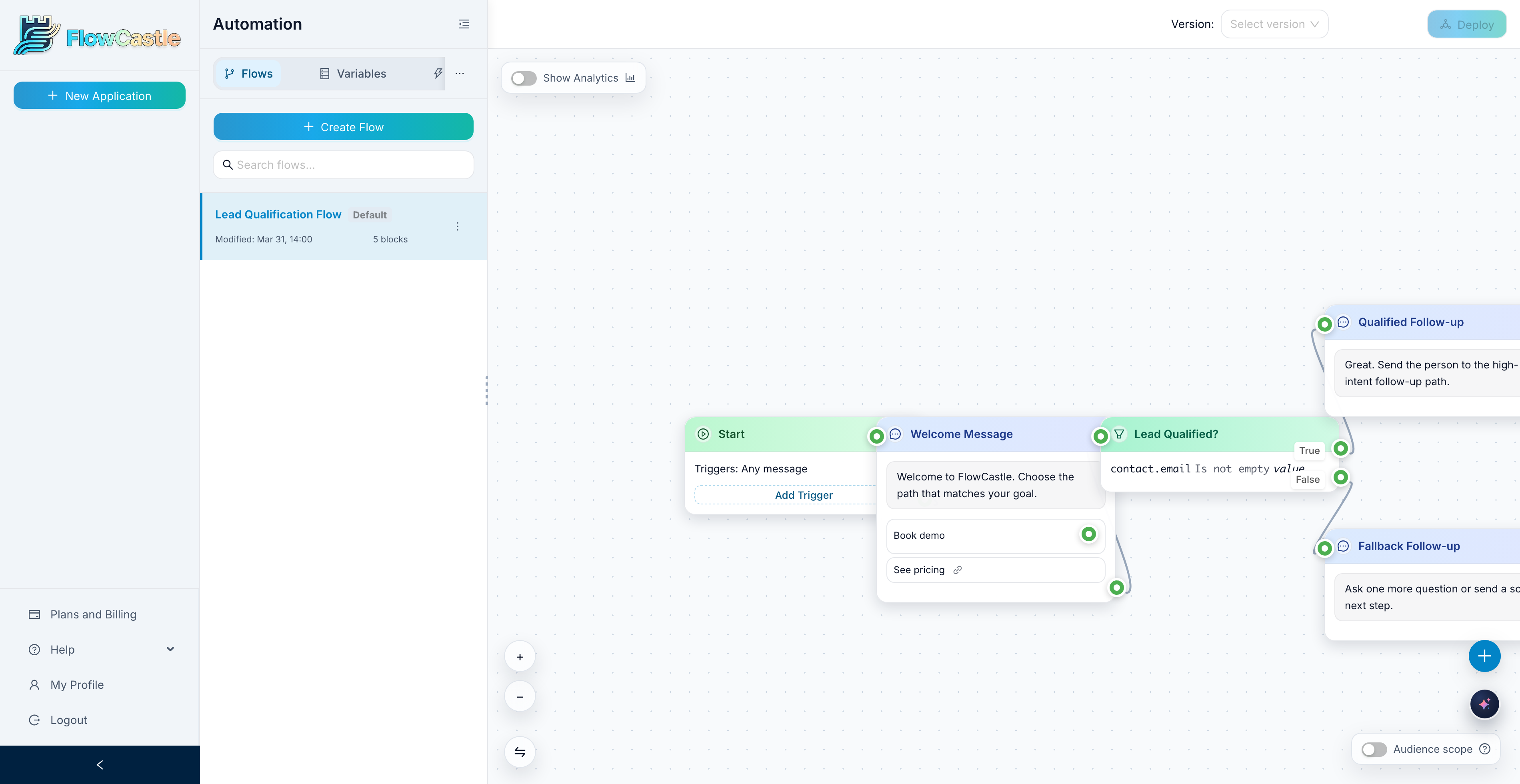
FlowCastle gives teams a visual way to build bot logic as a connected canvas. Each node represents a step in the conversation, and each connection shows what happens next. That makes the flow easier to design, review, and improve without decoding scripts.
Instead of keeping automation logic in notes, screenshots, or scattered docs, you work in one place: add a message, branch with a condition, trigger an action, and connect the next step. The result is a bot flow your whole team can understand.
Build bot logic as a clear map
The visual flow builder turns your automation into something you can actually read. You can see the full path from the first message to the last follow-up, including branches, fallbacks, and handoffs between nodes.
That matters when a bot stops being simple. Once you have welcome flows, qualification steps, button choices, API actions, and different user outcomes, a plain text description is no longer enough. A visual canvas keeps the logic understandable.
Work with the core building blocks
In FlowCastle, a flow is made of nodes and connections.
- Message nodes send the text, buttons, and attachments a person sees
- Condition nodes decide which path should run based on variables or previous input
- Action and integration steps let the flow do work, not just send messages
- Connections define what happens next so the conversation stays predictable
Because each step is separated cleanly, you can update one part of the flow without rewriting everything around it.
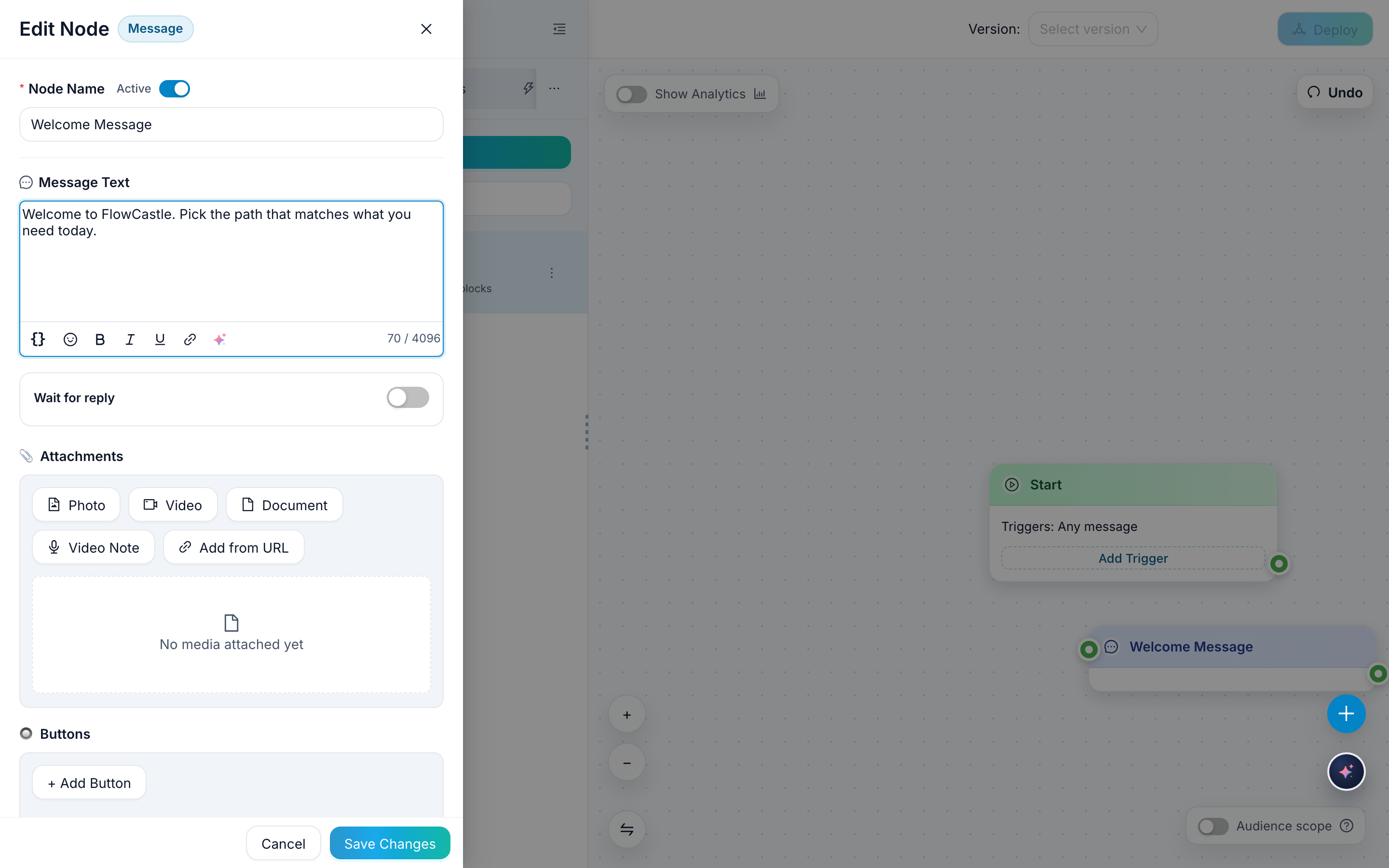
A message node can hold the actual content of the conversation, including text and button choices, so the builder is not just a diagram. It is the place where the real customer-facing flow gets assembled.
Make changes without losing the structure
A visual builder is most useful when flows need to evolve. Teams change offers, rewrite onboarding, add qualification questions, or insert a new branch after learning where users get stuck.
With a canvas-based editor, those changes are easier to make safely. You can move a step, add a branch, adjust the path, or replace part of the conversation while still seeing how the whole journey fits together.
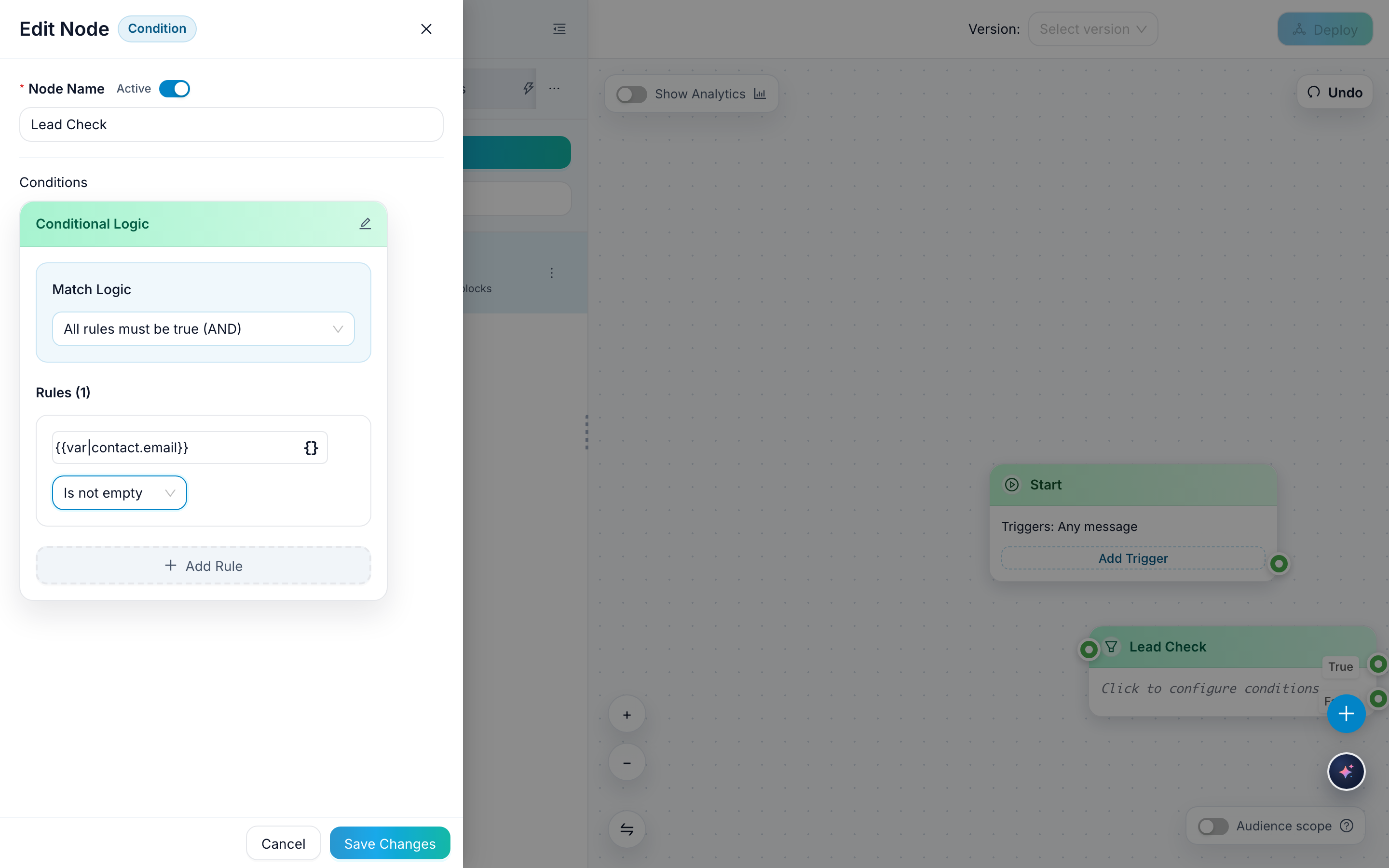
Conditions are a good example. Instead of creating separate disconnected flows, you can branch from the current path and keep both outcomes visible on the same canvas.
Better visibility for non-technical teams
Many bot tools become hard to manage because the real logic lives in the head of the person who built it. FlowCastle makes the structure visible, which helps product, support, marketing, and operations review the same workflow.
That shared visibility is useful for:
- onboarding new teammates faster
- reviewing how the bot handles different user paths
- spotting gaps where a fallback or follow-up is missing
- discussing changes without translating everything from code or screenshots
Useful for more than one type of bot
The same builder can support many common automation patterns:
- lead capture and qualification flows
- onboarding and welcome sequences
- FAQ and support routing bots
- campaign-specific conversation journeys
- follow-up flows that depend on user choices or stored data
The interface stays consistent even as the logic becomes more advanced.
Connect this feature with guides and templates
The visual builder becomes even more useful when it is paired with practical content. Teams can learn the editor with docs, understand node behavior with feature pages, and start faster from templates.
If you are new to FlowCastle, start with a tutorial such as How to Add Your First Node, then move to focused guides like Message Node Basics or Condition Node Basics. That sequence helps people understand both the canvas and the logic that runs inside it.
FAQ
Do I need to code to build a Telegram bot in FlowCastle?
No. You build the bot as a visual canvas of connected nodes — messages, conditions, and actions. For advanced cases you can add HTTP requests or custom code, but it's optional.
Can my team understand a flow someone else built?
Yes. The canvas shows the full path from the first message to the last follow-up, including branches, fallbacks, and handoffs, so the logic stays readable without decoding scripts.
Do I have to start from a blank canvas?
No. You can start from ready-made templates with public previews, or describe the bot in plain words and let the AI assistant draft the flow for you.