
You built a Telegram bot people actually use — a support assistant, a crypto tools bot, a community helper. The audience is there. The revenue usually is not, because "monetize the bot" sounds like a project: pick an ad network, integrate an API, decide where ads go, make sure they do not annoy anyone.
In FlowCastle it is a switch. This tutorial walks through both ways to run ads in your bot: the automatic mode, where an ad rides along with messages your bot already sends, and the manual mode, where you place an ad in one exact spot — say, a daily digest. We will use TomoAds, the first ad network available as a FlowCastle module — a crypto-first network built around Telegram traffic. Total setup time is about ten minutes, and none of it involves code. No bot to monetize yet? A ready-made crypto bot template is linked at the end.
How sponsored messages work
Before the clicks, the model — because it is deliberately conservative.
A sponsored message in FlowCastle is not a separate ad blast. It rides on a regular message your bot was going to send anyway, and you choose one of two formats:
- In the message text (the default) — one line appended to the end of the message: the advertiser's copy, as a link. It works on every message the bot sends, including menus and photo captions.
- In a button — one extra URL button below the message, labeled with the advertiser's campaign. The message text itself stays untouched.
Either way the bot never sends extra messages to show an ad and never interrupts a flow. Subscribers see the conversation they expected, with one clearly-sponsored line or button attached — tap it and the advertiser's page opens; ignore it and nothing happens.
Three guardrails are built in:
- Frequency cap. At most one ad per N messages per contact — you choose N. Out of the box it is 1, meaning every message may carry an ad; raise it to 5, 10 or 20 and the bot goes quiet in between.
- No ad, no trace. If the network has no campaign to serve right now, the message goes out clean. Your subscribers cannot tell the difference.
- Never in test runs. When you test your bot inside FlowCastle, ads are suppressed, so your test transcripts stay clean.
How much you earn depends on the campaigns running for your audience. TomoAds is a crypto-first ad network: campaigns come from crypto and Web3 projects buying Telegram traffic, clicks are verified, and legitimate crypto projects are not hit with the arbitrary category bans common on mainstream ad networks — which is exactly why advertiser demand concentrates there. If your bot lives anywhere near crypto, trading, or Web3 communities, that is where fill and rates will be strongest. Reporting and payouts live in your TomoAds dashboard.
Sponsored messages currently run on Telegram bots. Now let's set it up.
Step 1 — get a TomoAds request key
Sign up at tomoads.com and create a placement of the type Telegram Bot Message Ads. Each placement has a request key (a hash) — that key is the only thing FlowCastle needs. Copy it.
Step 2 — install the TomoAds module
In the FlowCastle dashboard, open your project's Modules page and find the TomoAds card. Click install, and the Set up TomoAds dialog appears with a single field: Ad request key. Paste the key from step 1.
Below the field there is a checkbox: Enable sponsored messages automatically (recommended). Leave it checked — it switches sponsored messages on for every Telegram bot in the project the moment you click Save keys. If you would rather decide per bot first, untick it; nothing turns on until you say so.

That is the whole integration. No webhooks, no API calls, no code.
Step 3 — tune it per bot
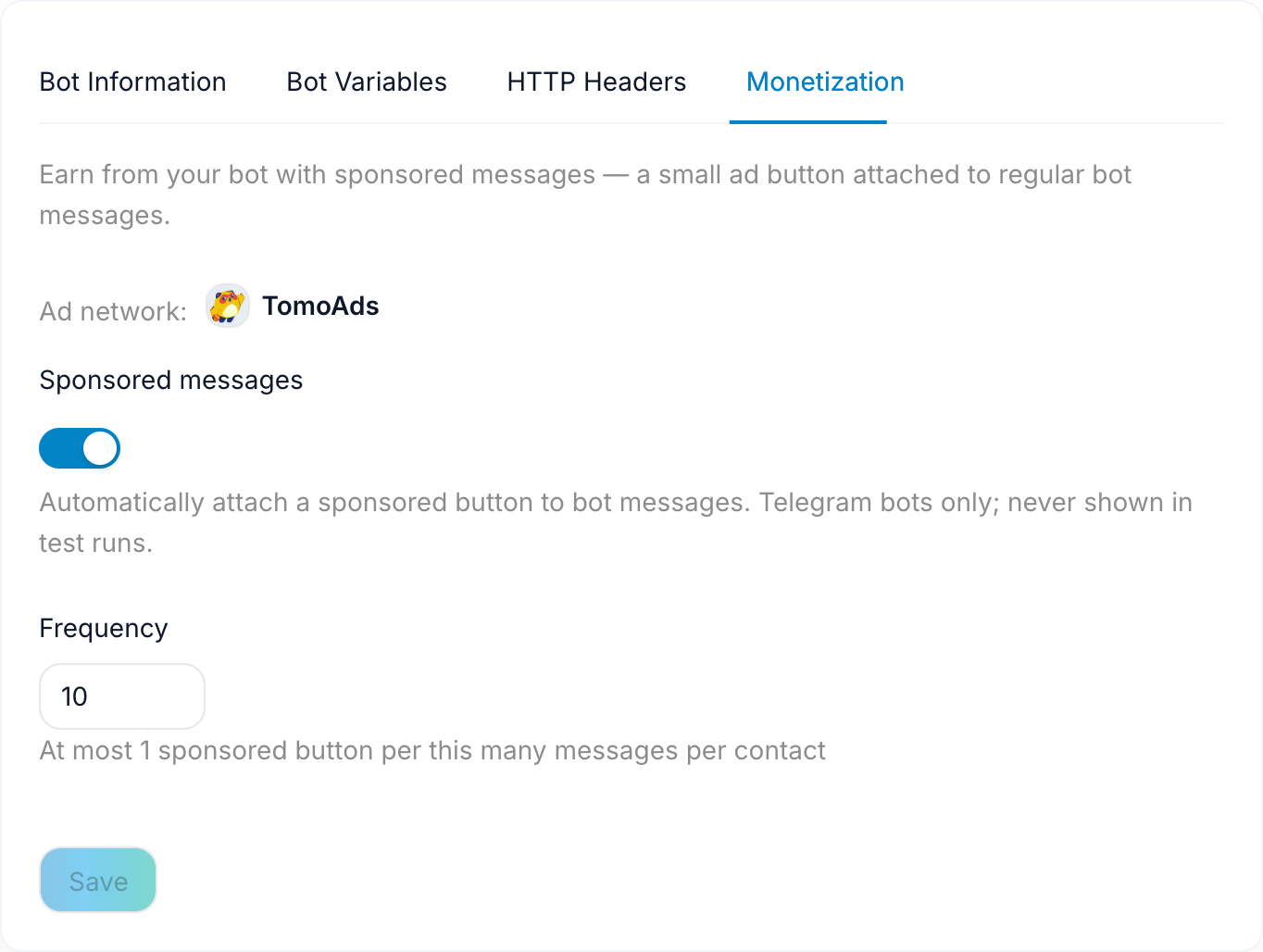
Each bot has its own monetization settings, so a revenue bot and a support bot can behave differently. Open the bot's settings and switch to the Monetization tab. You will find:
- Sponsored messages — the on/off switch for this bot.
- Where to show the ad — In the message text or In a button. Text is the default and the safer earner: it fits every message, including the ones with a photo or a menu attached. Pick the button when your bot's messages are carefully formatted and you would rather not touch the copy at all.
- Frequency — "at most 1 ad per this many messages per contact." It ships at 1, so every message is a candidate; a bot that fires a dozen messages per session is a good place to raise it, and one that speaks once a day can safely leave it alone.
- Ad network — shows which installed ad module serves this bot (TomoAds, for now).
Click Save and the settings apply to the running bot within a few seconds — no redeploy, no republish. Flip the switch off and ads stop just as fast.
What your subscribers see
In text placement, the ad is one line at the end of a message the subscriber already wanted — a crypto bot's price alert ends with a link to a Web3 campaign, and the alert itself reads exactly as before.
Here is the button variant in the wild: a normal bot reply with one extra button under it, highlighted in red below. The label comes from the advertiser's campaign; the message above it is untouched.

That is the entire footprint of automatic mode. For many bots you can stop reading here: switch on, pick a format and a frequency, done.
Manual placement: put the ad exactly where you want it
Automatic mode spreads ads evenly across everything the bot sends. Sometimes you want the opposite — one deliberate slot with great attention, like a daily digest, a results screen, or the end of a long answer. That is what the module's flow action is for.
In the flow editor, add an action to the block where you want the ad and pick Fetch sponsored message (manual placement) from the TomoAds module. The request key is already wired in from the module setup, so the action works out of the box. When it runs, it asks TomoAds for one ad and returns the result as outputs you can use in the rest of the flow: whether an ad was served, the ad text, the button label, and the click link.
The pattern that works well:
- Fetch the ad at the start of the block — for a digest, right before the digest message.
- Branch on the result with a condition: "ad text is not empty." Ads are not guaranteed — when there is no campaign to serve, you want a clean fallback, not an empty slot.
- On the true branch, send your digest message with the ad appended — insert the ad text and button link as variable chips from the variable picker (never type them by hand). On the false branch, send the same message without the ad section.

Because the fetch happens per contact at send time, every recipient gets a live, currently-running campaign — a digest sent to a thousand subscribers requests a thousand ads, which is exactly how the network expects impressions to be counted.
One rule of thumb: do not combine both modes on the same message. If a flow has a manual placement, the automatic mode does not know about it — its frequency counter only tracks the ads it places itself. Either keep automatic mode on and skip manual placements, or turn the switch off for that bot and place ads by hand where they earn the most.
FAQ
Will ads annoy my subscribers? The format is intentionally minimal — one line, or one button, on a message the user asked for, capped at your chosen frequency. If you are worried, set the frequency to one ad per twenty messages and tighten from there while watching your unsubscribe numbers.
What kind of ads will my subscribers see? TomoAds is crypto-first, so expect campaigns from crypto and Web3 projects — a natural match for the crypto, trading, and Telegram-native communities where bot audiences are strongest. If no suitable campaign is running, the message simply goes out without an ad.
What happens when TomoAds has no ad to serve? Nothing visible. The message is delivered clean, and the bot simply tries again on a later message.
Can I monetize one bot in a project but not another? Yes. The module and key are shared per project, but the switch, the placement and the frequency are per bot.
Do ads appear while I test my bot? No. Test runs never show sponsored messages, in either mode.
Where do I see earnings? In the TomoAds dashboard — FlowCastle handles serving, the network handles reporting and payouts.
Flip the switch
If your bot already has an audience, this is the rare monetization step that takes minutes: install the module, paste one key, choose where the ad shows up and how often. And if you are still building the audience, the marketing stack — broadcasts, drip sequences, goals — is how you grow the message volume that ads ride on. No bot yet? Clone the crypto price alerts and token terminal template — a working crypto bot with price cards, safety scans, alerts and two daily digests — and you can have something worth monetizing by tonight.